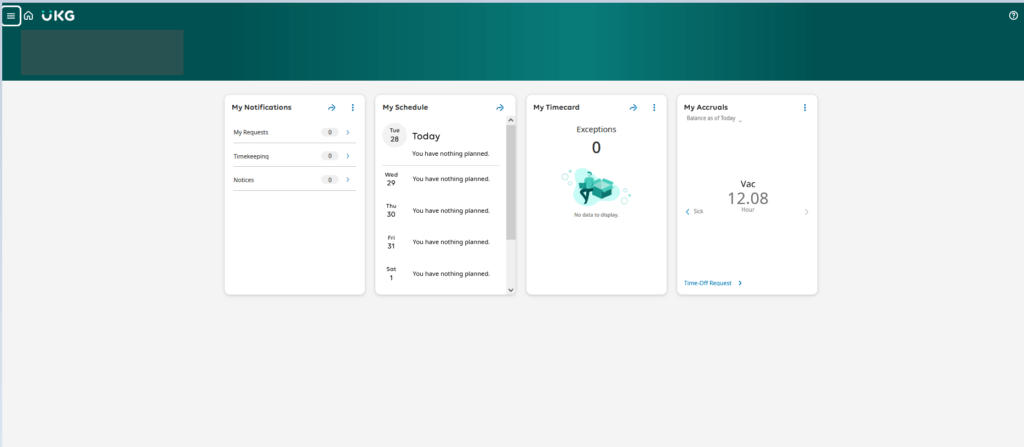
From the Home Screen, Locate “My Accruals”
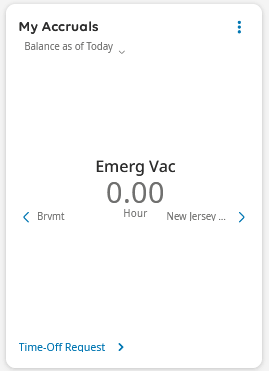
Accruals for all time are displayed by using the arrows
The number reflects the balance in the accrual bucket in hours as of the date you are viewing. It takes into account any future time already committed to the timecard.
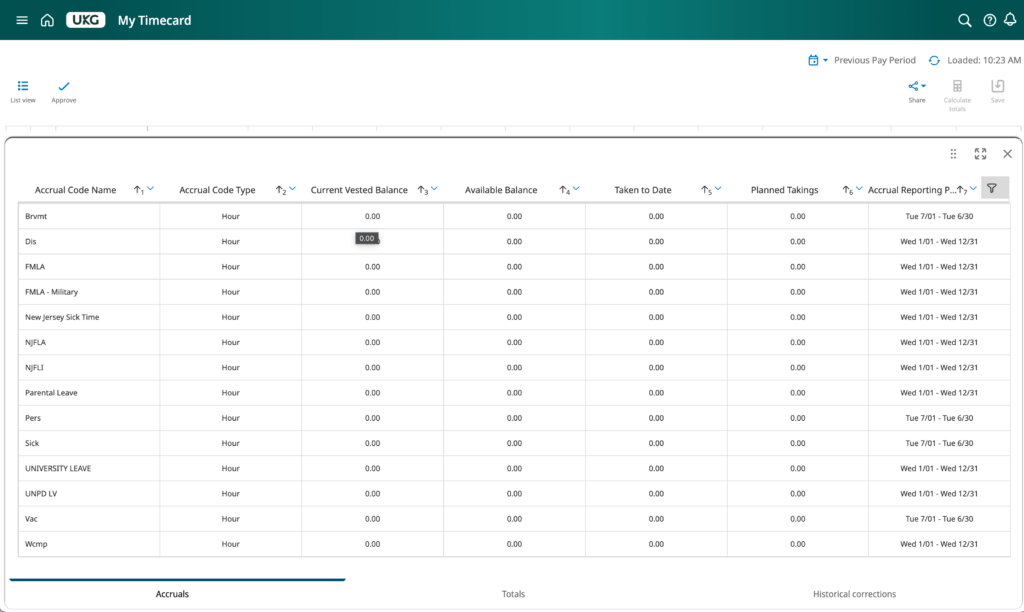
Accruals Can Also Be Viewed at the Bottom of Your Time Card
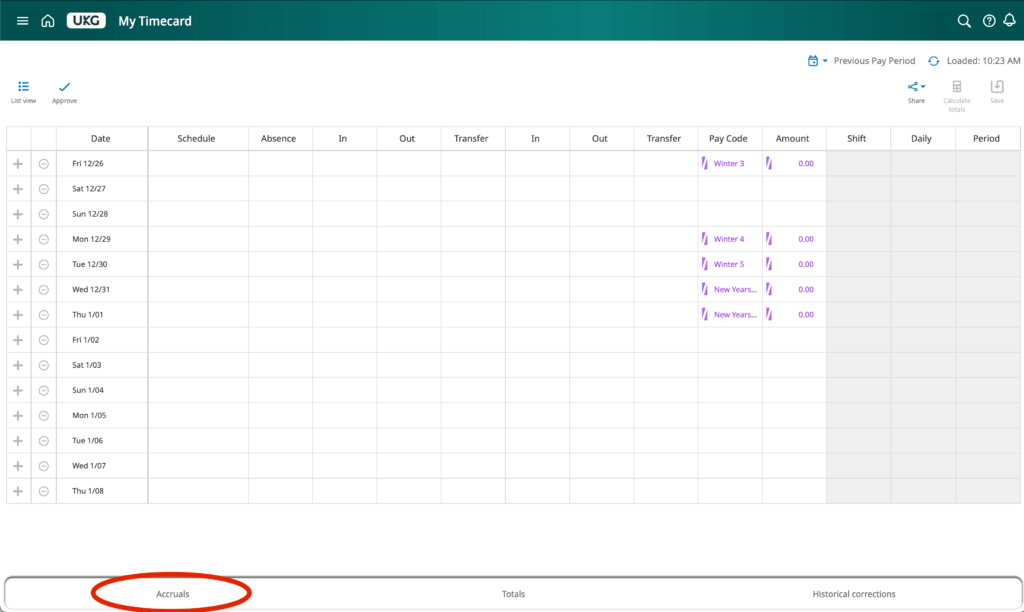
1. From the Homescreen, Select My Timecard
2. Select Accruals at the Bottom of Your Timecard Screen
3. A Window Will Appear Showing Your Balances